BLOCK REFERENCE / ANIMATION
Animation
Play Animator clips and tween properties.
17 blocks
#Animate property to

Smoothly changes one of the object's properties to a target value over a number of seconds.
It runs in the background, so the script continues right away. Each property has one animation at a time: starting another on the same property replaces it. A duration of 0 sets the value instantly, and the animation pauses while the object is inactive.
| Field | What it means |
|---|---|
propertydropdown | x / y (position in pixels, y grows downward), rotation_degrees, width / height (pixels, at least 1) or opacity (0 to 1).Options: x · y · rotation_degrees · width · height · opacity |
targetnumber | Final value, in the property's units. Opacity is clamped to 0-1 and width/height to at least 1.Default: 0 |
durationnumber | Seconds the change takes (0 = instant).Default: 0.5 |
easingdropdown | linear keeps a constant speed, smooth eases in and out, ease_out starts fast and slows down at the end.Options: linear · smooth · ease_out |
Example Animate opacity to 0 over 0.3 seconds to fade out an enemy before deleting it.
#Animation Finished?
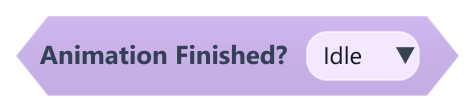
True when the chosen animation has played to its end on this object and no animation was started since.
Only animations that do not loop can finish. It stays true until an animation is played again (even the same one).
| Field | What it means |
|---|---|
Animationdropdown | One of this object's animations.Default: Idle |
#Animation Time
Returns how many seconds into its current animation this object is.
It goes back to 0 on every loop and when the animation is stopped. Set Animation Speed changes how fast it advances.
#Current Animation Name
Returns the name of the animation this object is playing or last played, or empty text if there is none.
The name is kept after Stop Animation and after a non-looping animation ends.
#Is Animation Playing?
True when this object has an animation running that is not paused.
It becomes false when the animation is stopped, paused, or a non-looping animation reaches its end.
#On Animation Finished
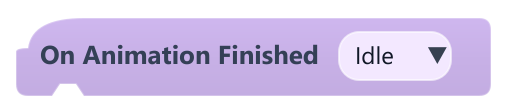
Runs the blocks below once each time the chosen animation reaches its end on this object.
It only fires for animations that do not loop: clips without loop, Set animation loop set to off, or Play Animation And Wait. It is checked every frame.
| Field | What it means |
|---|---|
Animationdropdown | One of this object's animations.Default: Idle |
Example Play an attack animation and use this hat to go back to idle when it ends.
#Pause Animation
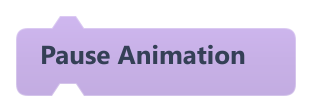
Pauses this object's current animation on its current frame.
Does nothing if no animation is playing. Continue it with Resume Animation.
#Play Animation
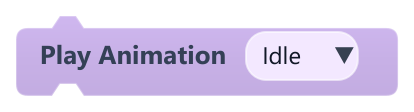
Starts playing one of this object's animations from the beginning.
If that animation is already playing it keeps going instead of restarting, so it is safe inside On Update. It loops if the clip is set to loop. Nothing happens if the object's Animator is disabled or the animation does not exist.
| Field | What it means |
|---|---|
Animationdropdown | One of this object's animations.Default: Idle |
Example Inside On Update, play run while a key is held and idle otherwise.
#Play Animation And Wait
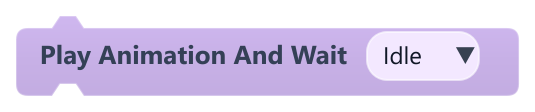
Plays an animation once from the start and waits until it ends before running the next block.
It plays without looping even if the clip is set to loop. If the object cannot play it (missing animation or Animator disabled) the game stops with an error. If another animation replaces it before it ends, the script keeps waiting.
| Field | What it means |
|---|---|
Animationdropdown | One of this object's animations.Default: Idle |
Example Play open_chest and wait, then give the player the item.
#Play animation named {…}
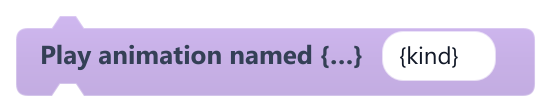
Plays one of this object's animations whose name is built from text and {variable} templates.
Placeholders like {kind} or walk_{dir} are replaced by variable values ({global.name} and {Object.name} also work). Upper/lower case is ignored. If no animation matches, the game stops with an error. Like Play Animation, it does not restart an animation that is already playing.
| Field | What it means |
|---|---|
nametext | Animation name; it can contain {variable} placeholders.Default: {kind} |
Example Store left or right in a variable dir and play walk_{dir}.
#Restart Animation
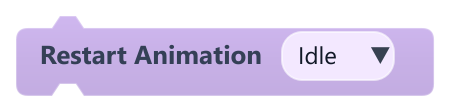
Plays an animation from its first frame, even if it is already playing.
Useful for hit or attack animations that must start over on every trigger. Nothing happens if the animation does not exist.
| Field | What it means |
|---|---|
Animationdropdown | One of this object's animations.Default: Idle |
#Resume Animation
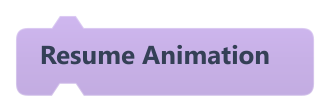
Continues this object's paused animation.
After Stop Animation it plays the last animation again from the beginning. Does nothing if the object never played an animation.
#Seek animation
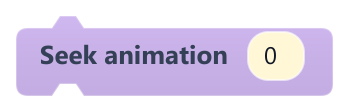
Jumps this object's current animation to a time in seconds.
The time is clamped between 0 and the clip length and the pose updates immediately, even while paused or stopped. If the object has no current animation, the game stops with an error.
| Field | What it means |
|---|---|
secondsnumber | Time from the start of the animation, in seconds.Default: 0 |
#Set animation loop
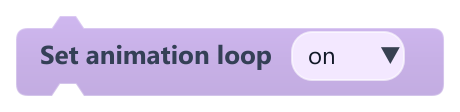
Turns looping on or off for this object's animations.
off makes the current and later animations stop on their last frame (and trigger On Animation Finished). on makes the current animation loop; later animations loop only if their clip is set to loop.
| Field | What it means |
|---|---|
enableddropdown | on or off.Options: on · off |
#Set Animation Speed
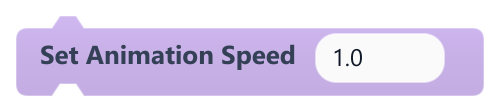
Sets how fast this object's animations play, where 1 is normal speed.
2 plays twice as fast and 0.5 at half speed. It applies to every animation of the object until changed. 0 or negative values are treated as almost frozen (0.0001).
| Field | What it means |
|---|---|
Speednumber | Speed multiplier. Accepts a number or a reporter.Default: 1 |
Speedsocket | Speed multiplier. Accepts a number or a reporter.Default: number, any |
#Stop Animation
Stops this object's animation and rewinds it to the start.
The object keeps its current pose until an animation plays again, and On Animation Finished does not fire. It does the same as Stop Animation in Looks.
#Stop property animations
Stops every Animate property to change running on this object.
Properties stay at the value they had reached.