BLOCK REFERENCE / PROGRESS
Progress
Save and load games and checkpoints.
8 blocks
#Checkpoint Exists?
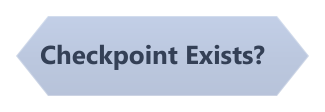
True when a checkpoint has been saved and not cleared.
Checkpoints are stored on disk, so one saved in an earlier play session still counts.
#Clear Checkpoint
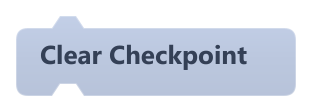
Deletes the saved checkpoint file.
Does nothing if there is no checkpoint.
#Delete Save
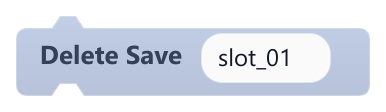
Deletes the save stored in a slot.
Does nothing if the slot is empty.
| Field | What it means |
|---|---|
Slottext | Slot name. Letters, numbers, _ and - are kept; other characters become _. Empty means slot_01. Accepts text or a reporter.Default: slot_01 |
Slotsocket | Slot name. Letters, numbers, _ and - are kept; other characters become _. Empty means slot_01. Accepts text or a reporter.Default: string, number, any |
#Load Checkpoint
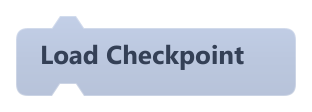
Restores the game state saved by Save Checkpoint.
It only loads if the save was made in the current scene; otherwise nothing happens. Objects created during play are not recreated, and scripts paused on wait blocks are cancelled. Same as Load Checkpoint in Scene.
#Load Game
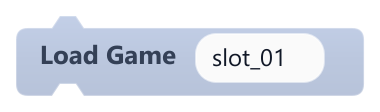
Restores the game state saved in a slot, without changing scene.
It only loads if the save was made in the current scene; otherwise nothing happens. Objects created during play are not recreated, and scripts paused on wait blocks are cancelled.
| Field | What it means |
|---|---|
Slottext | Slot name. Letters, numbers, _ and - are kept; other characters become _. Empty means slot_01. Accepts text or a reporter.Default: slot_01 |
Slotsocket | Slot name. Letters, numbers, _ and - are kept; other characters become _. Empty means slot_01. Accepts text or a reporter.Default: string, number, any |
#Save Checkpoint
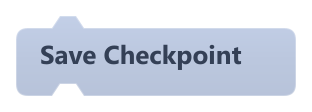
Saves a checkpoint of the current scene's state to disk, replacing the previous one.
It stores object positions, rotation, size, image, velocity, physics and collider settings, object variables and lists, the camera and global variables. Visibility, opacity, color and animation state are not saved. Same as Save Checkpoint in Scene.
Example Save a checkpoint when the player touches a flag, and load it when they fall.
#Save Exists?
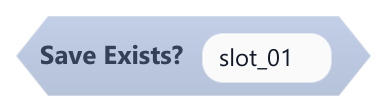
True when a save file exists in the given slot.
| Field | What it means |
|---|---|
Slottext | Slot name. Letters, numbers, _ and - are kept; other characters become _. Empty means slot_01. Accepts text or a reporter.Default: slot_01 |
Slotsocket | Slot name. Letters, numbers, _ and - are kept; other characters become _. Empty means slot_01. Accepts text or a reporter.Default: string, number, any |
Example Show a Continue button only if slot_01 exists.
#Save Game

Saves the current scene's state to a named slot on disk, replacing what was there.
It stores object positions, rotation, size, image, velocity, physics and collider settings, object variables and lists, the camera and global variables. Visibility, opacity, color and animation state are not saved. In the editor, saves go to the project's .pyblocks/editor_saves folder; exported games save in %APPDATA%/<developer>/<game>/saves.
| Field | What it means |
|---|---|
Slottext | Slot name. Letters, numbers, _ and - are kept; other characters become _. Empty means slot_01. Accepts text or a reporter.Default: slot_01 |
Slotsocket | Slot name. Letters, numbers, _ and - are kept; other characters become _. Empty means slot_01. Accepts text or a reporter.Default: string, number, any |