BLOCK REFERENCE / LISTS
Lists
Lists of values for inventories, queues and more.
7 blocks
#Add To List
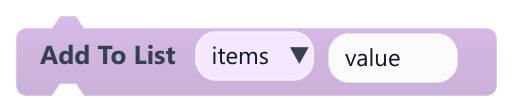
Adds a value to the end of one of this object's lists.
| Field | What it means |
|---|---|
Listdropdown | List of this object, from the lists defined in its Lists panel. It is created empty if it does not exist.Default: items |
Valuetext | Value to add. Typed values are stored as text; plug in a block to store a number, true/false or an object.Default: value |
Valuesocket | Value to add. Typed values are stored as text; plug in a block to store a number, true/false or an object.Default: string, number, boolean, object, any |
#Clear List
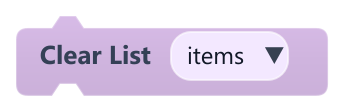
Removes every item from one of this object's lists.
| Field | What it means |
|---|---|
Listdropdown | List of this object, from the lists defined in its Lists panel.Default: items |
#Get List Item
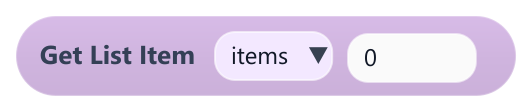
Returns the item at a position in one of this object's lists.
If the position is outside the list, it returns nothing (empty). It only gives its value in sockets that accept any value, such as Set Variable, Print, Join Text or Equal; in a number-only socket such as Add it gives 0.
| Field | What it means |
|---|---|
Listdropdown | List of this object, from the lists defined in its Lists panel.Default: items |
Indexnumber | Position in the list, starting at 0 for the first item.Default: 0 |
Indexsocket | Position in the list, starting at 0 for the first item.Default: number, any |
#List Contains
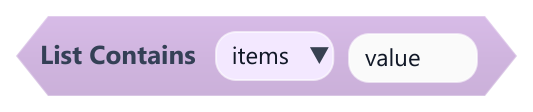
True when one of this object's lists contains a value.
Items typed into Add To List are stored as text, so look for them with typed text too.
| Field | What it means |
|---|---|
Listdropdown | List of this object, from the lists defined in its Lists panel.Default: items |
Valuetext | Value to look for. The match is exact: text is case sensitive, and the text 5 is not the same as the number 5.Default: value |
Valuesocket | Value to look for. The match is exact: text is case sensitive, and the text 5 is not the same as the number 5.Default: string, number, boolean, object, any |
#List Length
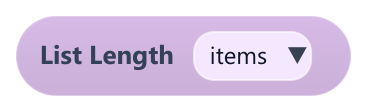
Returns how many items one of this object's lists has.
| Field | What it means |
|---|---|
Listdropdown | List of this object, from the lists defined in its Lists panel. A list that does not exist has length 0.Default: items |
Example The last item is at position List Length minus 1.
#Remove From List

Removes the item at a position from one of this object's lists.
Items after the removed one move back one position.
| Field | What it means |
|---|---|
Listdropdown | List of this object, from the lists defined in its Lists panel.Default: items |
Indexnumber | Position in the list, starting at 0 for the first item. Positions outside the list are ignored.Default: 0 |
Indexsocket | Position in the list, starting at 0 for the first item. Positions outside the list are ignored.Default: number, any |
#Set List Item

Replaces the item at a position in one of this object's lists.
| Field | What it means |
|---|---|
Listdropdown | List of this object, from the lists defined in its Lists panel.Default: items |
Indexnumber | Position in the list, starting at 0 for the first item. Positions outside the list are ignored; the list does not grow.Default: 0 |
Valuetext | New value. Typed values are stored as text; plug in a block for numbers, true/false or objects.Default: value |
Indexsocket | Position in the list, starting at 0 for the first item. Positions outside the list are ignored; the list does not grow.Default: number, any |
Valuesocket | New value. Typed values are stored as text; plug in a block for numbers, true/false or objects.Default: string, number, boolean, object, any |