BLOCK REFERENCE / OBJECTS
Objects
Create, find, enable and destroy scene objects.
8 blocks
#Create Object

Creates a copy of this object with a new name at a position, at the end of the frame.
The copy takes the sprite, size, collider, physics, scripts and starting variables and lists from the editor. Objects created at runtime ignore this block, so copies cannot create more copies.
| Field | What it means |
|---|---|
Objecttext | Name given to the new object. It does not pick which object is copied: the copy is always of the object running this block.Default: Enemy |
Xnumber | X position of the new object's left edge, in world pixels.Default: 0 |
Ynumber | Y position of the new object's top edge, in world pixels (Y grows downward).Default: 0 |
Xsocket | X position of the new object's left edge, in world pixels.Default: number, any |
Ysocket | Y position of the new object's top edge, in world pixels (Y grows downward).Default: number, any |
#Destroy Object
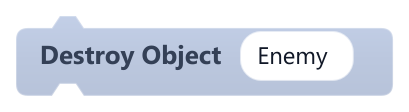
Removes the object with the given name from the game at the end of the frame.
If no object has that name, nothing happens.
| Field | What it means |
|---|---|
Objecttext | Name of the object to remove (not case sensitive). If several share the name, only the first one found is removed.Default: Enemy |
#Find Object By Name
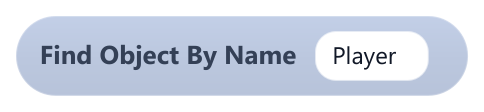
Returns a reference to the first object with the given name.
You can store the result with Set Variable, Add To List or Set List Item, but no block currently acts on an object reference, so its use is limited for now.
| Field | What it means |
|---|---|
Objecttext | Name to look for (not case sensitive). Returns nothing if no object matches.Default: Player |
#Get Other Collision Object
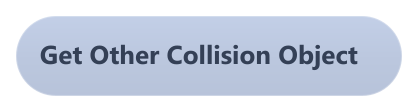
Returns the object this one touched in the current frame, if any.
Solid and trigger contacts both count; with several contacts, only the last one is returned. You can store the result with Set Variable, Add To List or Set List Item, but no block currently acts on an object reference, so its use is limited for now.
#Get Self

Returns a reference to the object running this script.
You can store the result with Set Variable, Add To List or Set List Item, but no block currently acts on an object reference, so its use is limited for now.
#Remove Parent
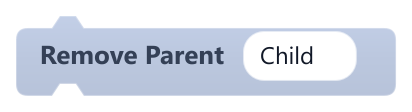
Detaches a named object from its parent.
After this, the object no longer hides when its former parent is hidden.
| Field | What it means |
|---|---|
Objecttext | Name of the child object to detach.Default: Child |
#Set Object Active

Turns a named object on or off.
An inactive object is not drawn, does not collide and its scripts stop running, so it cannot turn itself back on; another object has to do it.
| Field | What it means |
|---|---|
Objecttext | Name of the object (not case sensitive). The first match is used.Default: Enemy |
Activedropdown | true to turn it on, false to turn it off.Options: true · false |
#Set Parent
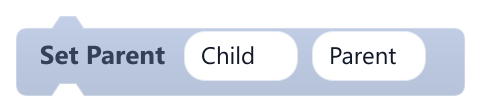
Makes one object the child of another, by name.
At runtime the link only affects visibility: when the parent is hidden, the child is hidden too. The child does not move with the parent.
| Field | What it means |
|---|---|
Childtext | Name of the object that becomes the child.Default: Child |
Parenttext | Name of the object that becomes the parent. An object cannot be its own parent.Default: Parent |