PYBLOCKS / DOCS
Effects and lighting
Add particles, screen flashes and shakes, dark scenes lit by torches, and post effects such as a vignette or a colour grade, all with blocks.
#Particles
The VFX and Effects blocks create particles at the centre of the object that runs them:
- Particle burst: a one-off burst with a preset (
sparkles,fire,smoke,confetti) and a particle count. - Custom particle burst: full control over colour, speed, lifetime, size, end size, gravity, angle, spread, drag and shape (
circle,square,spark,ring). - Start particle emitter and Stop particle emitter: a named emitter that keeps producing particles at a rate per second and follows the object.
- Shockwave ring: an expanding ring.
- Burst particles and Movement trail: simple helpers. Run the trail every frame (for example in On Update); it leaves particles as the object moves.
- Clear all effects removes every particle, emitter and flash.
#Flash, shake and fades
- Screen flash: fills the screen with a colour that fades out over the duration, for hits and explosions. UI stays on top of it.
- Shake Camera: moves the camera randomly for a duration.
Intensityis the maximum offset in pixels, so values like 6 or 10 are clearly visible. - Fade screen: fades a full-screen colour in (opacity 1) or out (opacity 0), over everything including UI.
- Blink: flashes one object on and off, for example while a character is invulnerable.
#Lighting
The Lighting blocks darken the world and let lights cut through the darkness.
- Darken the world: Set ambient light with a colour and a
darknessfrom 0 (daylight) to 1 (pitch black). Withover secondsabove 0 it fades smoothly, for example at dusk. - Give objects a light: run Add light to this object on a torch, a lantern or a glowing creature. Set its
radius,color,intensity,flicker(0 to 1, for fire) and an offset from the object's centre. The light follows the object. - Change it later with Set light of this object (it can fade over seconds) or turn it off with Remove light of this object.
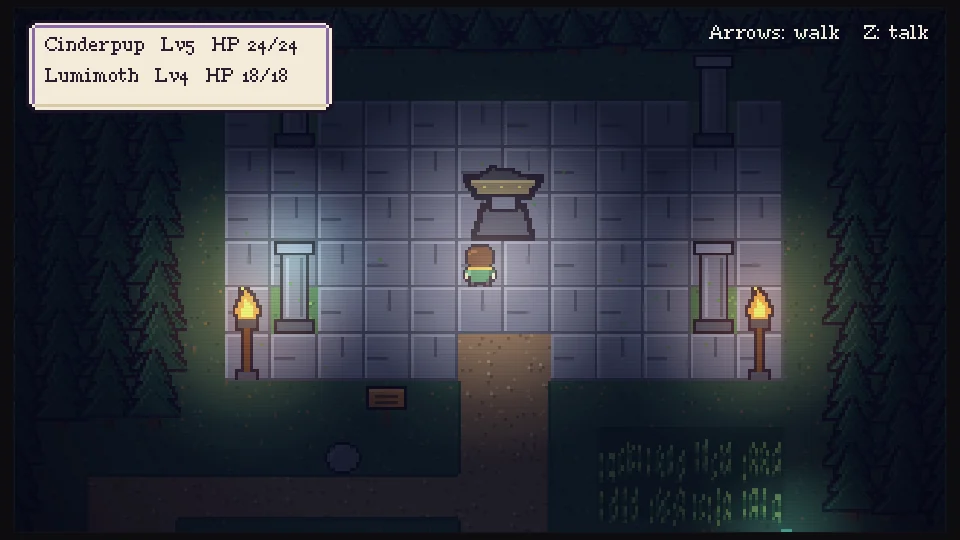
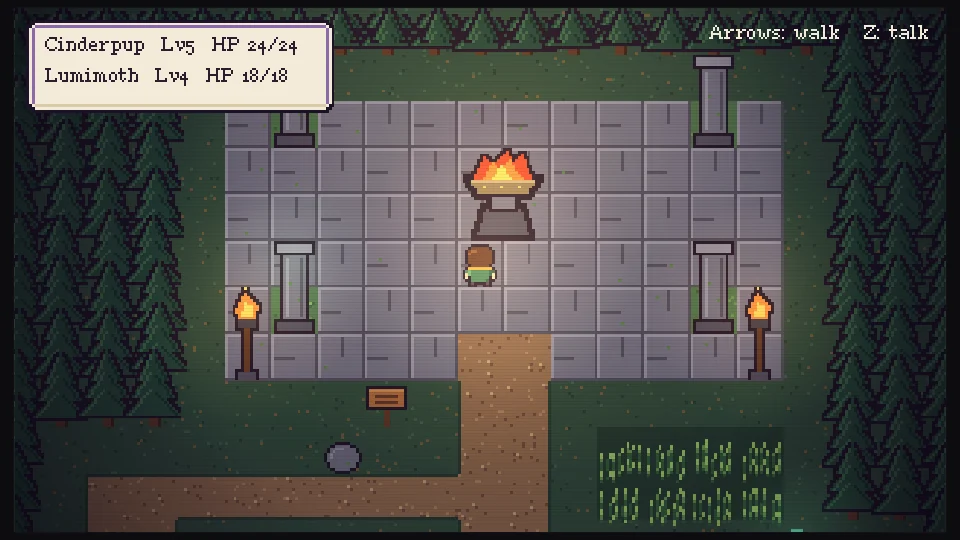
- Lights are only visible where there is darkness. With ambient darkness at 0 the scene is fully lit and lights have no effect.
- UI objects, and objects pinned to the screen with Pin to screen that are drawn above the world, are never darkened, so the HUD stays readable.
- Run Add light before Set light: Set light on an object without a light stops Play with an error.
- Lighting starts from daylight every time Play starts or a scene loads. A scene can have up to 256 lights.
#Post effects
Post effects change the look of the whole world and work with or without darkness:
- Set vignette (post effect): darkens the screen edges with a colour.
- Set color grade (post effect): tints the world by multiplying it with a colour, for a warm dusk, a cold night or sepia.
- Set retro scanlines (post effect): subtle CRT scanlines for a retro feel.
- Clear post effects removes all three.
Each effect has a strength from 0 to 1. Lighting and post effects are drawn on the CPU with Qt's QPainter composition modes; they are not GPU shaders. The light map is composed at a reduced resolution, which keeps it light enough for 2D games and looks the same in the editor and in exported games.
#See it in a real game
Bramblelight uses every lighting block: ambient darkness per area, torches and window glows with flicker, wisps, a lantern that follows the player, and vignette, colour grade and scanlines. Open it from Home and read the scripts of its torches and of the player. See Examples.