BLOCK REFERENCE / SENSING
Sensing
Questions about the world: touching another object? where is the mouse? how much time passed?
16 blocks
#Delta Time

Returns the time in seconds since the previous frame.
Usually about 0.016 at 60 FPS, and never more than 0.1. It is 0 in When Game Starts.
Example Multiply a speed in pixels/second by Delta Time so movement is the same on fast and slow computers.
#Dialogue or menu is open
True while a dialogue box or choice menu is waiting for the player.
Walk on grid (arrows / WASD) and Platformer controls already pause by themselves; use this block to pause your own controls too.
#Distance To Object
Returns the distance in pixels from this object to another object.
Measured in a straight line between the top-left corners of both objects, not their centers. Returns 0 if the object is not found.
| Field | What it means |
|---|---|
Objecttext | Name of the other object (not case sensitive). If several share the name, the first one found is used.Default: Enemy |
#Finished a grid step
True on the frame this object finishes a step of Walk on grid (arrows / WASD).
It is true for exactly one frame per completed cell, so it is a good moment to check tiles, doors or random encounters.
#Is faced by
True when the named grid-walking object stands next to this one and faces it.
The other object must be standing still, and the cell right in front of it must overlap this object.
| Field | What it means |
|---|---|
objecttext | Name of the object that uses Walk on grid (arrows / WASD), usually Player (not case sensitive).Default: Player |
Example On an NPC: Is faced by Player And Key just pressed z opens a dialogue.
#Key just pressed
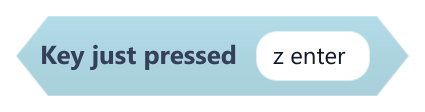
True only on the frame one of the listed keys goes down.
Holding the key does not repeat it; it becomes true again only after the key is released and pressed again.
| Field | What it means |
|---|---|
keys (space separated)text | Key names separated by spaces or commas, for example z enter. Supported: space, enter, escape, arrow keys (up, down, left, right) and the letters w a s d q e r f z x c v.Default: z enter |
Example Use it in On Update to fire one bullet per press.
#Key Pressed?
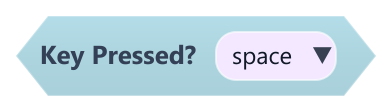
True while a key is held down.
It stays true every frame the key is held. Use Key just pressed to react only once per press.
| Field | What it means |
|---|---|
Keydropdown | Key to check: space, enter, escape, the arrow keys (up, down, left, right) or w, a, s, d.Options: space · enter · escape · up · down · left · right · w · a · s · d |
#Lands on me
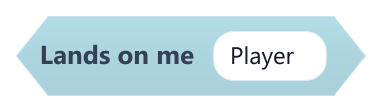
True when the named object touches this one while landing on its top, as in a stomp.
It counts when the other object is not moving upward and its bottom edge is within the upper part of this object's collider. This object needs a collider.
| Field | What it means |
|---|---|
objecttext | Name of the object that lands (not case sensitive), for example Player.Default: Player |
Example On an enemy: if Lands on me Player, Launch upward Player and destroy the enemy.
#Mouse Down?
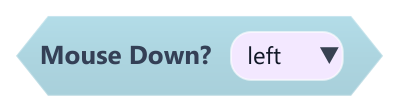
True while a mouse button is held down.
| Field | What it means |
|---|---|
Buttondropdown | Button to check: left, right or middle.Options: left · right · middle |
#Mouse X

Returns the mouse pointer's horizontal position in world pixels.
Uses world coordinates, taking the camera position and zoom into account, so it can be compared directly with object positions.
#Mouse Y

Returns the mouse pointer's vertical position in world pixels.
Uses world coordinates with the camera applied. Y grows downward: bigger values are lower on screen.
#Object Rotation
Returns this object's rotation in degrees.
#Object X
Returns this object's X position in pixels.
This is the left edge of the object in world coordinates.
#Object Y
Returns this object's Y position in pixels.
This is the top edge of the object in world coordinates. Y grows downward.
#Timer
Returns the seconds elapsed since the scene started playing.
It starts at 0 each time a scene starts or the game restarts.
#Touching Object?
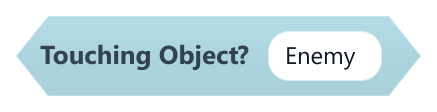
True when this object is touching any object with the given name.
Both objects need a collider enabled. Trigger colliders count too. Inactive objects are never touching.
| Field | What it means |
|---|---|
Objecttext | Name to look for (not case sensitive). Every object with that name counts, so it works with many Enemy or Wall copies.Default: Enemy |