BLOCK REFERENCE / PHYSICS
Physics
Velocity, forces and gravity of the rigidbody.
8 blocks
#Add Force
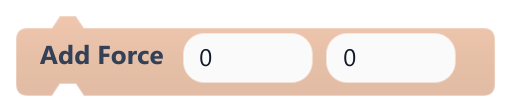
Adds to this object's velocity, pushing it in a direction.
The values are added straight to the velocity in pixels per second (there is no mass), so one run works like an impulse and running it every frame works like acceleration. Needs a Rigidbody that is not kinematic; negative y pushes up.
| Field | What it means |
|---|---|
Xnumber | Horizontal change in pixels per second; positive pushes right.Default: 0 |
Ynumber | Vertical change in pixels per second; positive pushes down.Default: 0 |
Xsocket | Horizontal change in pixels per second; positive pushes right.Default: number, any |
Ysocket | Vertical change in pixels per second; positive pushes down.Default: number, any |
#Is Grounded?

True when this object is standing on top of a solid collider.
The physics step sets it when a non-kinematic Rigidbody lands on something and is pushed back up. It updates once per frame, after scripts run, so scripts see the result of the previous frame. Triggers do not count.
Example Only allow a jump when Is Grounded? is true.
#Launch upward
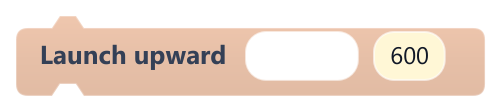
Sets an object's upward speed instantly, for springs, stomp bounces and knock-backs.
Replaces the vertical velocity and keeps the sideways one. The target needs a Rigidbody that is not kinematic to actually move (Platformer controls turns one on). At gravity scale 1, a speed of 600 rises about 150 pixels.
| Field | What it means |
|---|---|
object (empty = me)text | Object to launch (label object (empty = me)); leave it empty for this object. |
speednumber | Upward speed in pixels per second (0 to 10000).Default: 600 |
Example On a spring's On Trigger Enter, launch Player with 900.
#Platformer controls

Gives this object platformer controls: run with the arrows or A and D, jump with Space, Up, W or Z.
Use it in On Update on an object with a Collider; it turns on the Rigidbody. Includes coyote time, jump buffering, shorter hops when the jump key is let go early and riding moving platforms. Plays Idle/Run/Jump/Fall clips when present and mirrors the sprite when running left.
| Field | What it means |
|---|---|
speednumber | Top running speed in pixels per second.Default: 300 |
jumpnumber | Jump speed in pixels per second; at gravity scale 1, 780 rises about 250 pixels.Default: 780 |
jump sounddropdown | Sound played on each jump; optional. |
dustdropdown | on puffs dust particles when jumping and after hard landings.Options: on · off |
#Set Collider Enabled
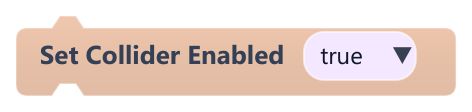
Turns this object's collider on or off.
With the collider off, the object goes through everything and fires no collision or trigger events. Clicks on it still work.
| Field | What it means |
|---|---|
Enableddropdown | true turns the collider on, false turns it off.Options: true · false |
#Set Gravity Scale
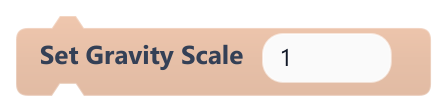
Sets how strongly gravity pulls this object.
Gravity pulls down at 1200 pixels per second squared, multiplied by this value. Only affects objects with a Rigidbody that is not kinematic.
| Field | What it means |
|---|---|
Scalenumber | 1 = normal, 0 = no gravity, 0.5 = floaty; negative values pull upward.Default: 1 |
Scalesocket | 1 = normal, 0 = no gravity, 0.5 = floaty; negative values pull upward.Default: number, any |
#Set Kinematic
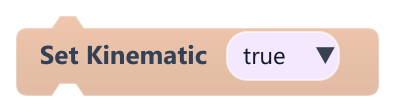
Makes this object kinematic, or lets physics move it again.
A kinematic object ignores gravity and its velocity and is never pushed by collisions, but it still blocks other objects. Move it with Motion blocks, for example for moving platforms.
| Field | What it means |
|---|---|
Kinematicdropdown | true makes it kinematic; false lets physics move it.Options: true · false |
#Set Velocity
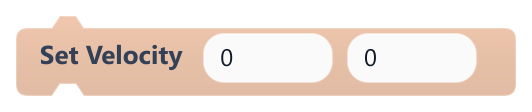
Sets this object's velocity in pixels per second.
Needs a Rigidbody that is not kinematic. y grows downward, so negative y moves up, and gravity keeps adding to y every frame. Hitting a solid collider resets the blocked axis to 0.
| Field | What it means |
|---|---|
Xnumber | Horizontal speed; positive moves right.Default: 0 |
Ynumber | Vertical speed; positive moves down.Default: 0 |
Xsocket | Horizontal speed; positive moves right.Default: number, any |
Ysocket | Vertical speed; positive moves down.Default: number, any |