BLOCK REFERENCE / DEBUG
Debug
Console messages and debugging tools.
4 blocks
#Breakpoint
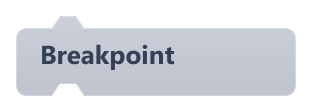
Writes a Breakpoint line with the object's name to the Console panel.
Despite its name, it does not pause the game: the script keeps running. It only marks that execution reached this point.
#Draw Debug Line

Draws a thin green line between two points for one frame.
The line disappears after the frame, so put the block inside On Update to keep it visible. It follows the camera like the rest of the world.
| Field | What it means |
|---|---|
X1number | Start X in world pixels.Default: 0 |
Y1number | Start Y in world pixels (Y grows downward).Default: 0 |
X2number | End X in world pixels.Default: 100 |
Y2number | End Y in world pixels.Default: 100 |
X1socket | Start X in world pixels.Default: number, any |
Y1socket | Start Y in world pixels (Y grows downward).Default: number, any |
X2socket | End X in world pixels.Default: number, any |
Y2socket | End Y in world pixels.Default: number, any |
Example Draw a line from this object to the mouse to check an aiming direction.
#Draw Debug Text

Draws small green text at a world position for one frame.
The text disappears after the frame, so use it inside On Update to keep it on screen.
| Field | What it means |
|---|---|
Texttext | Text or value to draw. Plug in any block to show its current value.Default: Debug |
Xnumber | X position in world pixels.Default: 0 |
Ynumber | Y position in world pixels, where the text's baseline sits (Y grows downward).Default: 0 |
Textsocket | Text or value to draw. Plug in any block to show its current value.Default: string, number, boolean, any |
Xsocket | X position in world pixels.Default: number, any |
Ysocket | Y position in world pixels, where the text's baseline sits (Y grows downward).Default: number, any |
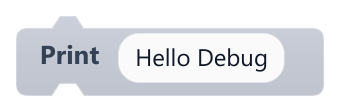
Writes a message to the editor's Console panel.
The line looks like [PyBlocks Debug] ObjectName: message. In an exported game there is no console, so nothing is visible to players.
| Field | What it means |
|---|---|
Messagetext | Text or value to print. Plug in any block to print its current value.Default: Hello Debug |
Messagesocket | Text or value to print. Plug in any block to print its current value.Default: string, number, boolean, any |
Example Print Get Variable hp every time the player is hit to check the damage math.