BLOCK REFERENCE / MOTION
Motion
Position, rotation, size and movement of objects.
31 blocks
#Face direction
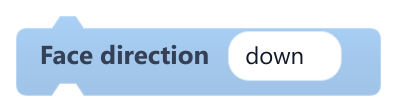
Turns this object to face up, down, left or right and plays the matching Idle animation.
Plays IdleUp, IdleDown, IdleLeft or IdleRight if the object has it (IdleLeft falls back to a mirrored IdleRight, then to Idle). The facing is shared with Walk on grid; rotation does not change. Any other value stops the game with an error.
| Field | What it means |
|---|---|
direction {…}text | up, down, left or right. Accepts {templates}, e.g. {facing}.Default: down |
#Face toward object
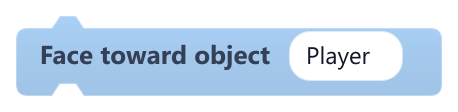
Turns this object to face another object (up, down, left or right) and plays that Idle animation.
Compares the centres of both objects and picks the axis with the larger distance. Rotation does not change. Does nothing if the object is not found.
| Field | What it means |
|---|---|
objecttext | Name of the object to look at (not case-sensitive).Default: Player |
Example An NPC turns to the player before starting a dialogue.
#Go to random free cell

Moves this object to a random grid cell that is not covered by any collider.
The grid starts at left, top and has columns by rows square cells. A cell is free when its centre is outside every other active collider, triggers included. The object is centred in the chosen cell; if none is free, nothing happens.
| Field | What it means |
|---|---|
cellnumber | Cell size in pixels (1 to 1000).Default: 30 |
leftnumber | X of the grid's left edge, in pixels.Default: 0 |
topnumber | Y of the grid's top edge, in pixels (y grows downward).Default: 0 |
columnsnumber | Number of columns (1 to 500).Default: 10 |
rowsnumber | Number of rows (1 to 500).Default: 10 |
Example Move the snake's food to a free spot after it is eaten.
#Go to x y {…}

Moves this object to an x, y position given as numbers or {templates}.
Both values must turn into numbers, otherwise the game stops with an error. The position is the object's top-left corner in world pixels, with y growing downward.
| Field | What it means |
|---|---|
xtext | X in pixels: a number or a template like {global.x} or {Player.x}.Default: {global.x} |
ytext | Y in pixels: a number or a template like {global.y}.Default: {global.y} |
Example Save the player's spot in globals before changing scene, then use this block to come back to it.
#Grow trail
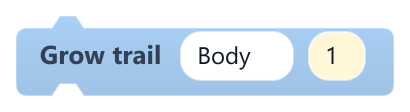
Adds copies of an object to the end of this object's grid trail, like a snake that grows.
Works with Move on grid, which places each segment on the path left behind. New segments stay hidden and without collision until the path is long enough. Copies keep the original's name; up to 2000 segments.
| Field | What it means |
|---|---|
clone oftext | Object to copy for each segment (label clone of); it cannot be this object.Default: Body |
countnumber | Segments to add (1 to 50).Default: 1 |
Example When the snake eats food, grow the trail by 1.
#Keep inside area

Keeps this object's position inside a rectangle.
Limits x and y (the top-left corner, or the centre of the view on a Camera) to the given range. Use it every frame in On Update. If a minimum is greater than its maximum, the game stops with an error.
| Field | What it means |
|---|---|
min xnumber | Smallest allowed x, in pixels.Default: 0 |
max xnumber | Largest allowed x, in pixels.Default: 1000 |
min ynumber | Smallest allowed y, in pixels (y grows downward).Default: 0 |
max ynumber | Largest allowed y, in pixels.Default: 1000 |
Example On the Camera, after Follow object smoothly, so the view never goes past the level edges.
#Lerp To Position

Moves this object part of the way toward a target position, easing in as it gets closer.
Each run covers speed times the frame time of the remaining distance (all of it once that reaches 1), so use it in On Update. With a frame time of 0, as in When Game Starts, nothing happens.
| Field | What it means |
|---|---|
Xnumber | Target x in pixels.Default: 0 |
Ynumber | Target y in pixels.Default: 0 |
Speednumber | How fast it closes the gap; 5 covers about 90% of the distance in half a second. Negative values count as 0.Default: 5 |
Xsocket | Target x in pixels.Default: number, any |
Ysocket | Target y in pixels.Default: number, any |
Speedsocket | How fast it closes the gap; 5 covers about 90% of the distance in half a second. Negative values count as 0.Default: number, any |
#Look At Mouse

Rotates this object so its facing direction points at the mouse pointer.
Measures from the object's x, y (its top-left corner) to the pointer in world coordinates. Rotation 0 faces right and 90 faces down. Use it in On Update to keep aiming.
Example A turret that always aims at the pointer.
#Move
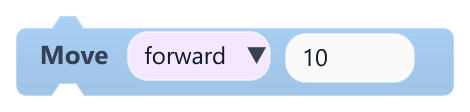
Moves this object by an amount in the mode you pick: forward, backward, left, right, along x or y, or at an angle.
forward and backward follow the object's rotation (0 = right, 90 = down); angle uses the angle value instead. left and right move along x, and x and y add the amount to that axis (y grows downward). Moves once per run, not scaled by frame time.
| Field | What it means |
|---|---|
Modedropdown | forward, backward, left, right, x, y or angle.Options: forward · backward · left · right · x · y · angle |
Amountnumber | Distance in pixels. Negative values move the other way.Default: 10 |
Anglenumber | Direction in degrees for the angle mode (0 = right, 90 = down). Only shown in that mode.Default: 0 |
Amountsocket | Distance in pixels. Negative values move the other way.Default: number, any |
Anglesocket | Direction in degrees for the angle mode (0 = right, 90 = down). Only shown in that mode.Default: number, any |
#Move Backward
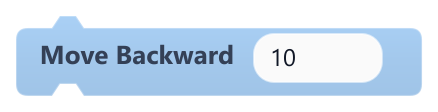
Moves this object backward, opposite to the direction it faces, by a number of pixels.
Uses the current rotation: with rotation 0 it moves left.
| Field | What it means |
|---|---|
Amountnumber | Distance in pixels. Negative values move forward.Default: 10 |
Amountsocket | Distance in pixels. Negative values move forward.Default: number, any |
#Move By Angle

Moves this object a number of pixels in a given direction, without changing its rotation.
| Field | What it means |
|---|---|
Anglenumber | Direction in degrees: 0 = right, 90 = down, 180 = left, 270 (or -90) = up.Default: 45 |
Amountnumber | Distance in pixels. Negative values move the opposite way.Default: 10 |
Anglesocket | Direction in degrees: 0 = right, 90 = down, 180 = left, 270 (or -90) = up.Default: number, any |
Amountsocket | Distance in pixels. Negative values move the opposite way.Default: number, any |
Example Knock the player back at the angle it was hit from.
#Move Forward
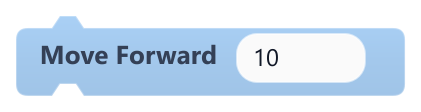
Moves this object forward, in the direction it faces, by a number of pixels.
Uses the current rotation: 0 faces right and 90 faces down. Inside On Update it moves that far every frame.
| Field | What it means |
|---|---|
Amountnumber | Distance in pixels. Negative values move backward.Default: 10 |
Amountsocket | Distance in pixels. Negative values move backward.Default: number, any |
Example Combine with Rotate By for car-style steering.
#Move Left
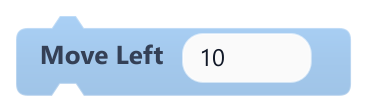
Moves this object left by a number of pixels.
Subtracts the amount from x and ignores rotation.
| Field | What it means |
|---|---|
Amountnumber | Distance in pixels. Negative values move right.Default: 10 |
Amountsocket | Distance in pixels. Negative values move right.Default: number, any |
#Move on grid

Moves this object one grid cell in its steered direction at a steady interval, snake-style.
Use it in On Update with Steer on grid for turns; it starts heading right. The interval shrinks by faster_per_segment per trail segment, down to min_interval. Segments added with Grow trail follow the path.
| Field | What it means |
|---|---|
cellnumber | Step size in pixels (1 to 1000).Default: 30 |
seconds per stepnumber | Seconds between steps (label seconds per step).Default: 0.15 |
faster per segmentnumber | Seconds taken off the interval for each trail segment (label faster per segment).Default: 0.004 |
fastestnumber | Shortest allowed interval in seconds (label fastest).Default: 0.06 |
rotatedropdown | on turns the object to face where it moves; off keeps its rotation.Options: on · off |
#Move Right
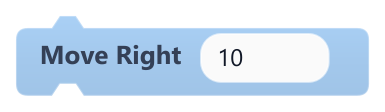
Moves this object right by a number of pixels.
Adds the amount to x and ignores rotation.
| Field | What it means |
|---|---|
Amountnumber | Distance in pixels. Negative values move left.Default: 10 |
Amountsocket | Distance in pixels. Negative values move left.Default: number, any |
#Move X By
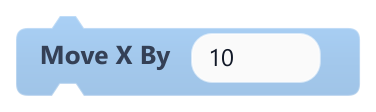
Changes this object's x position by a number of pixels.
Positive values move right, negative values move left. Ignores rotation.
| Field | What it means |
|---|---|
Amountnumber | Pixels to add to x.Default: 10 |
Amountsocket | Pixels to add to x.Default: number, any |
Example Plug Get Axis Horizontal times 5 into it inside On Update for simple left and right movement.
#Move Y By
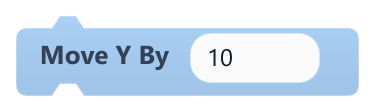
Changes this object's y position by a number of pixels.
y grows downward: positive values move down and negative values move up. Ignores rotation.
| Field | What it means |
|---|---|
Amountnumber | Pixels to add to y.Default: 10 |
Amountsocket | Pixels to add to y.Default: number, any |
#Orbit Around Object

Places this object on a circle around another object, driven by the game clock.
The angle comes from the time since play started, so with speed 1 it makes a full turn every 2 seconds, clockwise on screen. It sets the position from the other object's x, y (top-left corner), so run it every frame in On Update. Does nothing if the object is not found.
| Field | What it means |
|---|---|
Objecttext | Name of the object to circle around.Default: Center |
Radiusnumber | Distance from that object, in pixels.Default: 100 |
Speednumber | Half-turns per second; negative values orbit the other way.Default: 1 |
Radiussocket | Distance from that object, in pixels.Default: number, any |
Speedsocket | Half-turns per second; negative values orbit the other way.Default: number, any |
#Patrol back and forth

Moves this object back and forth from its starting position forever, for enemies and moving platforms.
Use it in On Update. The start is where the object was the first time the block ran. With face_direction on, the object is mirrored while it heads toward smaller x, so draw the sprite facing right.
| Field | What it means |
|---|---|
axisdropdown | x for left and right, y for up and down.Options: x · y |
distancenumber | How far to go, in pixels; negative values go the other way first.Default: 200 |
speednumber | Average speed in pixels per second.Default: 80 |
styledropdown | smooth eases in and out at each end; linear keeps a constant speed.Options: smooth · linear |
face directiondropdown | on mirrors the sprite to face the way it moves (x axis only).Options: on · off |
#Point To Angle
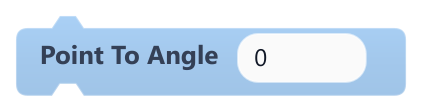
Sets this object's rotation to an angle in degrees.
0 faces right, 90 down, 180 left and 270 up; bigger angles turn clockwise. Same result as Set Rotation.
| Field | What it means |
|---|---|
Anglenumber | Angle in degrees.Default: 0 |
Anglesocket | Angle in degrees.Default: number, any |
#Point To Object
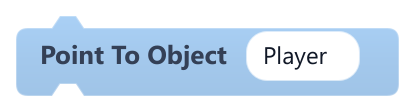
Rotates this object so it faces another object.
Aims from this object's x, y to the other object's x, y (their top-left corners), so objects of different sizes can end up slightly off-centre. Does nothing if the object is not found.
| Field | What it means |
|---|---|
Objecttext | Name of the object to face (not case-sensitive).Default: Player |
#Rotate By
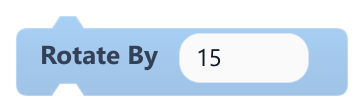
Turns this object by a number of degrees.
Positive values turn clockwise on screen, negative values counter-clockwise. Inside On Update it turns that much every frame.
| Field | What it means |
|---|---|
Amountnumber | Degrees to turn.Default: 15 |
Amountsocket | Degrees to turn.Default: number, any |
Example A small value in On Update makes a spinning coin.
#Set Height
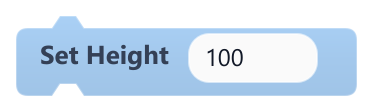
Sets this object's height in pixels.
Values below 1 become 1. The collider keeps its own size.
| Field | What it means |
|---|---|
Heightnumber | New height in pixels.Default: 100 |
Heightsocket | New height in pixels.Default: number, any |
#Set Position
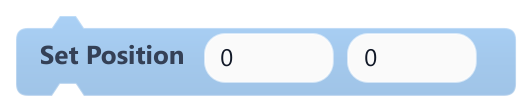
Moves this object to an exact x, y position.
Coordinates are world pixels for the object's top-left corner; y grows downward.
| Field | What it means |
|---|---|
Xnumber | New x in pixels.Default: 0 |
Ynumber | New y in pixels.Default: 0 |
Xsocket | New x in pixels.Default: number, any |
Ysocket | New y in pixels.Default: number, any |
Example Send the player back to the start of the level after falling.
#Set Rotation
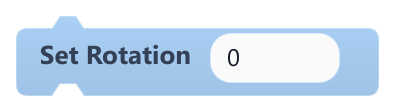
Sets this object's rotation to an angle in degrees.
0 faces right and 90 faces down. The sprite turns around its centre; the collider does not rotate.
| Field | What it means |
|---|---|
Anglenumber | Angle in degrees.Default: 0 |
Anglesocket | Angle in degrees.Default: number, any |
#Set Scale
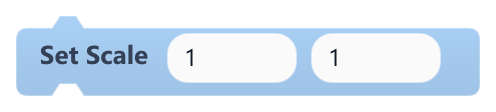
Multiplies this object's current width and height by the given factors.
Despite its name it is relative: running it twice with 2 makes the object four times as wide. Use Set Width and Set Height for exact sizes. Sizes never go below 1 pixel, and the collider keeps its own size.
| Field | What it means |
|---|---|
Scale Xnumber | Width multiplier (1 = unchanged, 2 = double, 0.5 = half).Default: 1 |
Scale Ynumber | Height multiplier (1 = unchanged, 2 = double, 0.5 = half).Default: 1 |
Scale Xsocket | Width multiplier (1 = unchanged, 2 = double, 0.5 = half).Default: number, any |
Scale Ysocket | Height multiplier (1 = unchanged, 2 = double, 0.5 = half).Default: number, any |
#Set Width
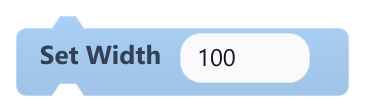
Sets this object's width in pixels.
Values below 1 become 1. The collider keeps its own size.
| Field | What it means |
|---|---|
Widthnumber | New width in pixels.Default: 100 |
Widthsocket | New width in pixels.Default: number, any |
#Set X
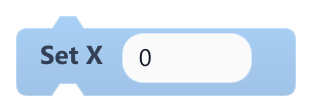
Sets this object's x position.
x is the object's left edge in world pixels; it grows to the right.
| Field | What it means |
|---|---|
Xnumber | New x in pixels.Default: 0 |
Xsocket | New x in pixels.Default: number, any |
#Set Y
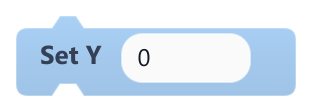
Sets this object's y position.
y is the object's top edge in world pixels; it grows downward.
| Field | What it means |
|---|---|
Ynumber | New y in pixels.Default: 0 |
Ysocket | New y in pixels.Default: number, any |
#Steer on grid (arrows / WASD)
Queues a turn when an arrow key or W, A, S, D is pressed, for objects moved by Move on grid.
Use it every frame in On Update, before Move on grid. It remembers up to two turns so quick presses are not lost, and ignores turning straight back.
#Walk on grid (arrows / WASD)

Walks this object one grid cell at a time with the arrow keys or W, A, S, D, blocked by solid colliders.
Use it in On Update. A quick tap while standing only turns around. Plays WalkUp/WalkDown/WalkLeft/WalkRight and Idle... clips (or Walk/Idle) when present, and pauses while a dialogue box or choice menu is open.
| Field | What it means |
|---|---|
cellnumber | Cell size in pixels (2 to 1000).Default: 48 |
cells / secnumber | Cells per second (0.25 to 60).Default: 4 |
facing intotext | Variable of this object that receives the facing (up, down, left or right); leave it empty to skip.Default: facing |
bump sounddropdown | Sound played when walking into a wall; optional. |
Example The player in a top-down RPG.