BLOCK REFERENCE / AUDIO
Audio
Sounds, music and volume.
9 blocks
#Fade Volume
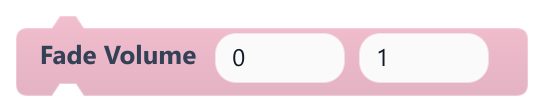
Sets the master volume to a target level. The fade is not implemented yet, so the change is instant.
Today it works exactly like Set Volume: it affects all sounds and music. Duration is accepted but has no effect.
| Field | What it means |
|---|---|
Targetnumber | Master volume from 0 (silent) to 1 (full). Values outside that range are clamped.Default: 0 |
Durationnumber | Intended fade time in seconds. Currently ignored.Default: 1 |
Targetsocket | Master volume from 0 (silent) to 1 (full). Values outside that range are clamped.Default: number, any |
Durationsocket | Intended fade time in seconds. Currently ignored.Default: number, any |
#Is Music Playing?
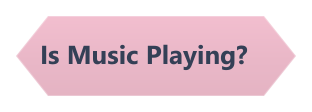
True when a music track started with Play Music is playing.
Music loops until stopped, so it stays true until Stop Music or a scene change.
#Play Music
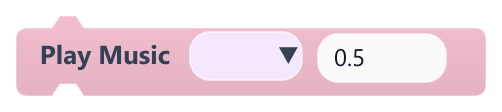
Starts a looping music track, replacing any music already playing.
Only one track plays at a time and running the block again restarts it, so avoid it in On Update. Music stops when a scene starts, so play it in each scene. The final volume is this value times the master volume.
| Field | What it means |
|---|---|
Musicdropdown | Audio file from the project (wav, mp3, ogg or flac). |
At Volumenumber | Volume from 0 to 1. Accepts a number or a reporter.Default: 0.5 |
At Volumesocket | Volume from 0 to 1. Accepts a number or a reporter.Default: number, any |
Example In On Start of each level, play that level's theme at 0.4.
#Play Sound
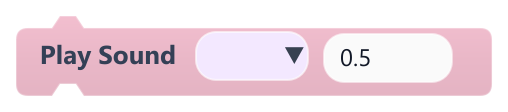
Plays a sound effect once.
Several copies of the same sound can overlap. The final volume is this value times the master volume. If the file is missing or all audio channels are busy, nothing plays.
| Field | What it means |
|---|---|
Sounddropdown | Audio file from the project (wav, mp3, ogg or flac). |
At Volumenumber | Volume from 0 to 1. Accepts a number or a reporter.Default: 0.5 |
At Volumesocket | Volume from 0 to 1. Accepts a number or a reporter.Default: number, any |
Example Play jump right when the player jumps.
#Set AudioClip Volume

Sets a stored volume for one audio file and applies it right away if that file is playing.
Play Sound and Play Music always use their own At Volume, which replaces this value the next time the file is played. It is most useful to adjust a sound or music that is already playing.
| Field | What it means |
|---|---|
AudioClipdropdown | Audio file to adjust. |
Volumenumber | Volume from 0 to 1. Accepts a number or a reporter.Default: 0.5 |
Volumesocket | Volume from 0 to 1. Accepts a number or a reporter.Default: number, any |
#Set Volume
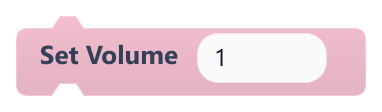
Sets the master volume that scales all sounds and music.
0 is silent and 1 is full volume; other values are clamped. Music that is playing changes immediately.
| Field | What it means |
|---|---|
Volumenumber | Master volume from 0 to 1. Accepts a number or a reporter.Default: 1 |
Volumesocket | Master volume from 0 to 1. Accepts a number or a reporter.Default: number, any |
Example Connect it to a slider variable in an options menu.
#Stop All Sounds
Stops every sound effect that is playing; music keeps playing.
Use Stop Music to stop the music too.
#Stop Music
Stops the current music track.
Sound effects are not affected.
#Stop Sound
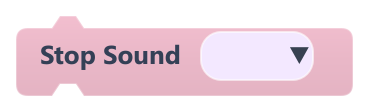
Stops every playing copy of the chosen sound effect.
| Field | What it means |
|---|---|
Sounddropdown | Audio file to stop. |