BLOCK REFERENCE / SCENE
Scene
Switch scenes (with a fade), reload them and checkpoints.
8 blocks
#Fade to scene

Fades the screen to a color, then loads a scene that fades back in.
The script keeps running during the fade; the scene changes once the screen is fully covered. Global variables carry over.
| Field | What it means |
|---|---|
scenedropdown | Scene to load. |
secondsnumber | Fade-out time in seconds (0-10); the new scene fades in over the same time.Default: 0.5 |
colortext | Fade color, hex like #000000.Default: #000000 |
Example Fade to white over 1 second when the player reaches the exit door.
#Load Checkpoint
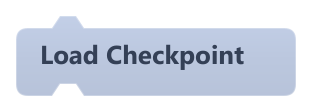
Restores the game state saved by Save Checkpoint.
It only loads if the save was made in the current scene; otherwise nothing happens. Objects created during play are not recreated, and scripts paused on wait blocks are cancelled. Same as Load Checkpoint in Progress.
#Load Next Scene
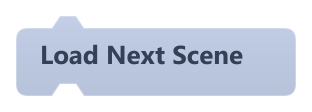
Loads the next scene in the project's scene order, wrapping around to the first after the last.
The switch happens at the end of the frame, and the blocks after it in the same script do not run. Global variables carry over; music stops. In exported games the order is the list of scenes included in the build.
#Load Previous Scene
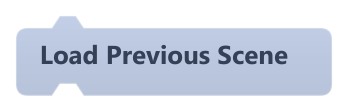
Loads the previous scene in the project's scene order, wrapping around to the last before the first.
The switch happens at the end of the frame, and the blocks after it in the same script do not run. Global variables carry over; music stops. In exported games the order is the list of scenes included in the build.
#Load Scene
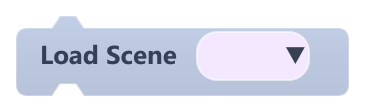
Stops the current scene and loads the chosen one.
The switch happens at the end of the frame, and the blocks after it in the same script do not run. Global variables carry over; music stops. If no scene is chosen, nothing happens.
| Field | What it means |
|---|---|
Scenedropdown | Scene to load. |
Example When the player touches the exit, load Level2.
#Reload Scene
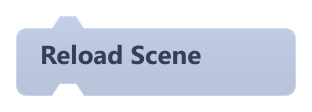
Restarts the current scene from its initial state.
The switch happens at the end of the frame, and the blocks after it in the same script do not run. Global variables carry over; music stops.
Example Reload the scene when the player runs out of lives.
#Save Checkpoint
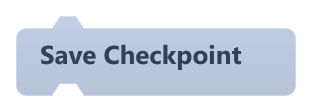
Saves a checkpoint of the current scene's state to disk, replacing the previous one.
It stores object positions, rotation, size, image, velocity, physics and collider settings, object variables and lists, the camera and global variables. Visibility, opacity, color and animation state are not saved. Same as Save Checkpoint in Progress.
#Set Spawn Point

Stores a spawn point position. Reserved: nothing in the engine uses it yet.
The point is only written into save and checkpoint files; objects are not moved there. To respawn, move the object yourself with a motion block.
| Field | What it means |
|---|---|
Xnumber | X position in pixels. Accepts a number or a reporter.Default: 0 |
Ynumber | Y position in pixels (grows downward). Accepts a number or a reporter.Default: 0 |
Xsocket | X position in pixels. Accepts a number or a reporter.Default: number, any |
Ysocket | Y position in pixels (grows downward). Accepts a number or a reporter.Default: number, any |